
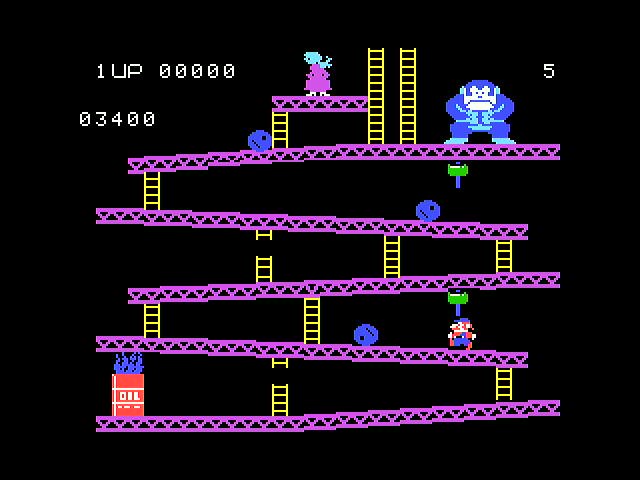
After finishing my Colecovision game cartridge shield for the Adafruit Fruit Jam, my next quest was to find a Colecovision game emulator for the Fruit Jam. Unfortunately, I could not find any so I thought about writing one. I knew what was needed in a Colecovision emulator and have written C++ programs before, but I did not know the technical details need to program the hardware. The task was daunting.
I have seen other people successfully use Claude to write applications, so I thought I will give it a go. I gave myself 30 days, which is the minimum length of a Claude subscription. I immediately cancelled my subscription after signing up so it would not automatically renew, giving me an extra incentive to get this working within 30 days.
For Claude, it starts with a project description, defining what kind of program you want Claude to write. My description was over a page in length. Here is an excerpt:
Create a C++ game to emulate the Colecovision game system on an Adafruit Fruit Jam. The emulator must support this hardware:

Emulate a 8-bit Zilog Z80A (or NEC equivalent) running at 3.58 MHz microprocessor
Emulate a Texas Instruments SN76489A providing 3 tone channels and 1 noise channel
Resolution: 256 × 192 pixels (center mapped to the Fruit Jam’s 320 x 240 pixels screen)
The description also described the target hardware (Adafruit Fruit Jam), use of Visual Studio Code and included button mappings to the USB controller, since the original Colecovision controller included a numeric keypad. It also included references to similar projects.
Claude happily set about its task of my request, and came up with a finished product that didn’t work. I then had a conversation with Claude to describe what was wrong, starting with the dead video signal. Through several iterations, Claude worked on fixing the video, utilizing the Fruit Jam’s LED light to blink at various stages of the video startup for debugging purposes. After relaying the LED blink info to Claude for several cycles, the video was eventually fixed and was able to see the game cartridge selection screen. However, I was not able to use the controller to select the game cartridge to play. After several more iterations, Claude eventually solved the controller issue, by displaying debug codes on the now working menu screen for me to report back to Claude in helping in its diagnosis.
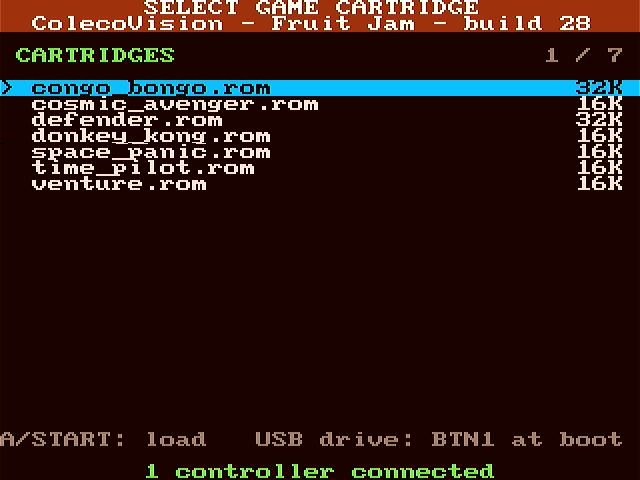
After the controller was working, I was able to start and play an actual game selected from the game menu. This verified the emulation of the Z80A and the Coleco BIOS and game ROM was working correctly (and confirming functioning ROMs created by my cartridge reader ). This stage was surprisingly error free. The only remaining problem was there was no sound. Working with Claude with more debug codes on the menu screen finally got that working and I had a functional emulator with all the major components working.
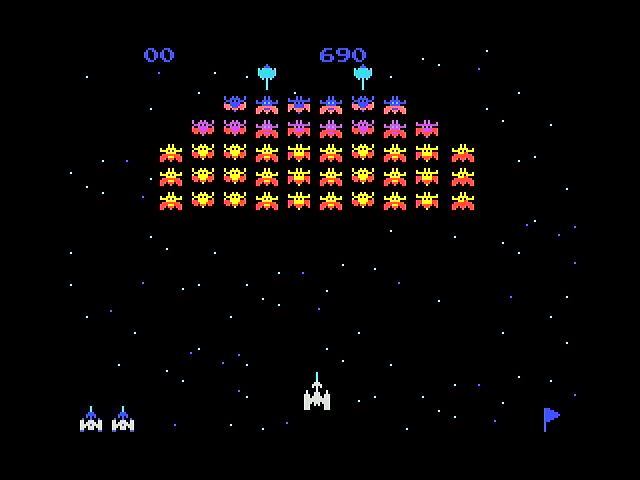
In total, over 50 cycles of Claude changes and recompiles were completed over the course of 7 days to get the emulator working. I now have a fully functioning Colecovision emulator running on the Adafruit Fruit Jam. I have named it “ColecoJam”.
One item I would like to add to the emulator is support for my Colecovision game cartridge adapter shield for the Fruit Jam. This would allow not only loading games stored on the MicroSD card but also directly play a game inserted into the cartridge slot. I think Claude could handle it with a few more debug cycles.
Thoughts on Using Claude
Overall, I was impressed with what Claude could do with this project. It would have been weeks/months of development without using Claude. When defining your project for Claude, make sure every detail is included, don’t let Claude make assumptions, it will probably be wrong. Also, I was impressed more with the debugging techniques used by Claude, using blinking lights and status codes to determine where issues were. It even went to the internet to forum posts to search for clues on issues I was having. The money spent for a one month subscription was well worth it for me.
Final Thought
I still have 3 weeks left in my Claude subscription. What could I create with the remaining time?
Details on setup and controller button mapping can be found in the project page listed above.